Build an i mage captioning system wuth IBM Watsonx and Granite
Estimated time needed: 30 minutes
In this lab, you’ll explore how to use the IBM Granite 3.2 Vision model with IBM watsonx to perform multimodal tasks like image captioning and visual question answering using Python.
Introduction
- Visual content - like photos, screenshot or char containing infor can be hard to interpret without context. Wouldn’t it be useful if an AI model could instantly describe what’s in an image, or answer questions about it?
- we’ll explore how to use a large multimodal language model to do exactly that. I'll use IBM's Granite 3.2 Vision model, integrated with IBM watsonx, to generate text responses based on visual inputs. From scene descriptions to answering specific questions, this model can help turn images into insights.
This project demonstrates:
- load image from urls
- encode those images so they can be processed by a language model
- use ibm granite 3.2 vision model to throught IBM watson to generate text responses based on each image.
Goals:
- understand how encode image for llm-based visual processing.
- use ibm granite 3.2 vision model to generate image captions and answer questions about images.
- interact with IBM watsonx api to persform multimodal queries in Python.
Background
What is large language model (LLM)?
Large language models are a category of foundation models that are trained on immense amounts of data making them capable of understanding and generating natural language and other types of content to perform a wide range of tasks.
What is IBM watsonx?
IBM watsonx is a suite of artificial intelligence (AI) tools and services that are designed to help developers build and deploy AI-driven applications. Watsonx provides a range of APIs and tools that make it easy to integrate AI capabilities into applications, including natural language processing, computer vision, and speech recognition.
Enterprises turn to watsonx because it is:
- Open: Based on open technologies that provide a variety of models to cover enterprise use cases and support compliance initiatives.
- Targeted: Targeted to specific enterprise domains like HR, customer service, or IT operations to unlock new value.
- Trusted: Designed with principles of transparency, responsibility, and governance so you can manage ethical and accuracy concerns.
- Empowering: You can go beyond being an AI user and become an AI value creator, owning the value that your models create.
What is IBM Granite 3.2 Vision?
IBM's Granite 3.2 series introduces advanced reasoning and vision capabilities tailored for enterprise applications. The Granite Vision 3.2 2B model is a lightweight, open-source vision-language model specifically optimized for visual document understanding. Trained on a comprehensive instruction-following dataset, it excels in extracting information from tables, charts, diagrams, and infographics, making it a powerful tool for structured data analysis in business contexts.
In addition to its vision capabilities, Granite 3.2 incorporates enhanced reasoning features. The models support conditional reasoning, allowing users to activate or deactivate reasoning processes as needed, optimizing computational resources. This flexibility enables the models to handle complex decision-making tasks efficiently, such as software engineering challenges and IT issue resolution.
Image preparation
- download the image
- display the image
url_image_1 = 'https://cf-courses-data.s3.us.cloud-object-storage.appdomain.cloud/5uo16pKhdB1f2Vz7H8Utkg/image-1.png'
url_image_2 = 'https://cf-courses-data.s3.us.cloud-object-storage.appdomain.cloud/fsuegY1q_OxKIxNhf6zeYg/image-2.png'
url_image_3 = 'https://cf-courses-data.s3.us.cloud-object-storage.appdomain.cloud/KCh_pM9BVWq_ZdzIBIA9Fw/image-3.png'
url_image_4 = 'https://cf-courses-data.s3.us.cloud-object-storage.appdomain.cloud/VaaYLw52RaykwrE3jpFv7g/image-4.png'

image_urls = [url_image_1, url_image_2, url_image_3, url_image_4] 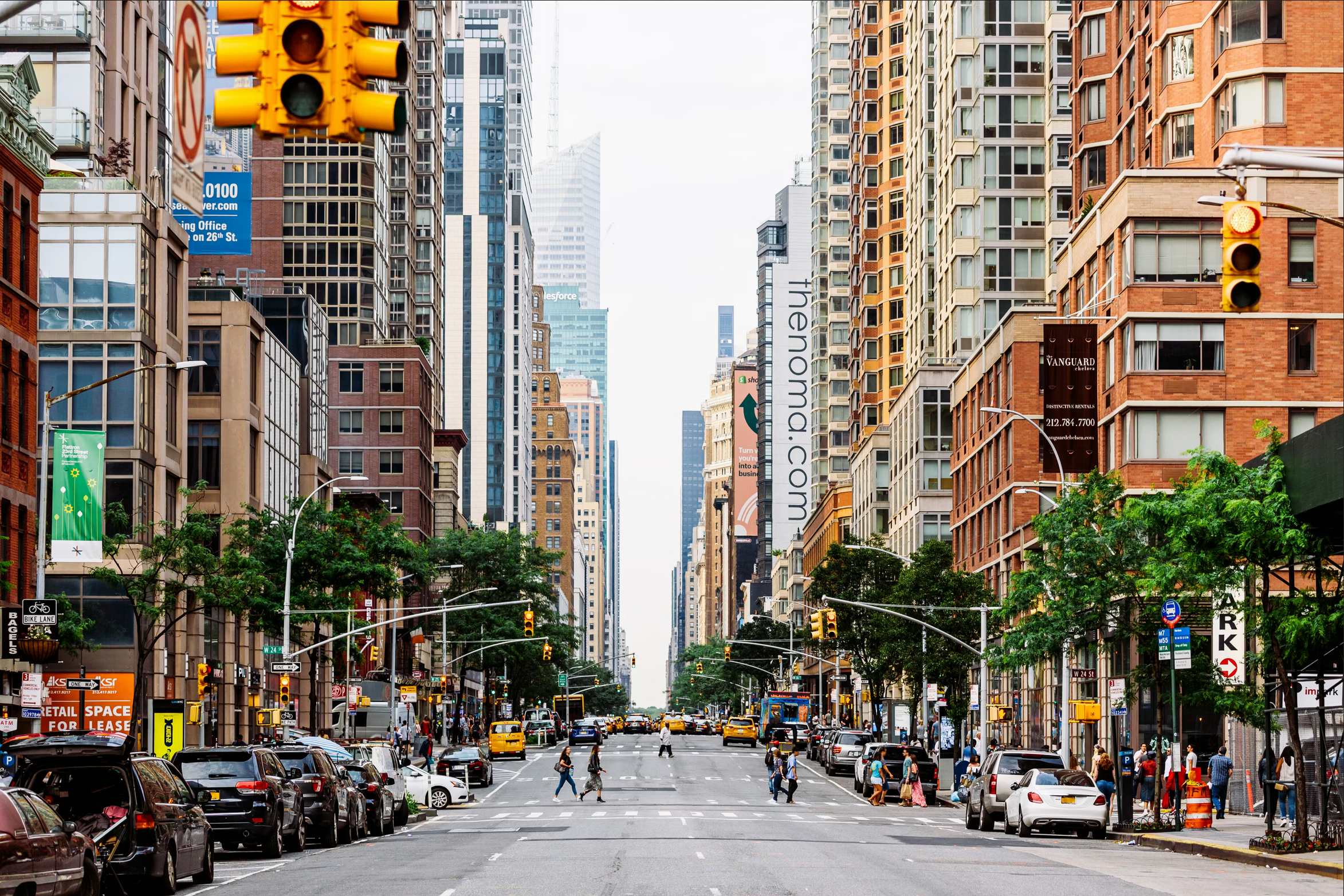
Image 1
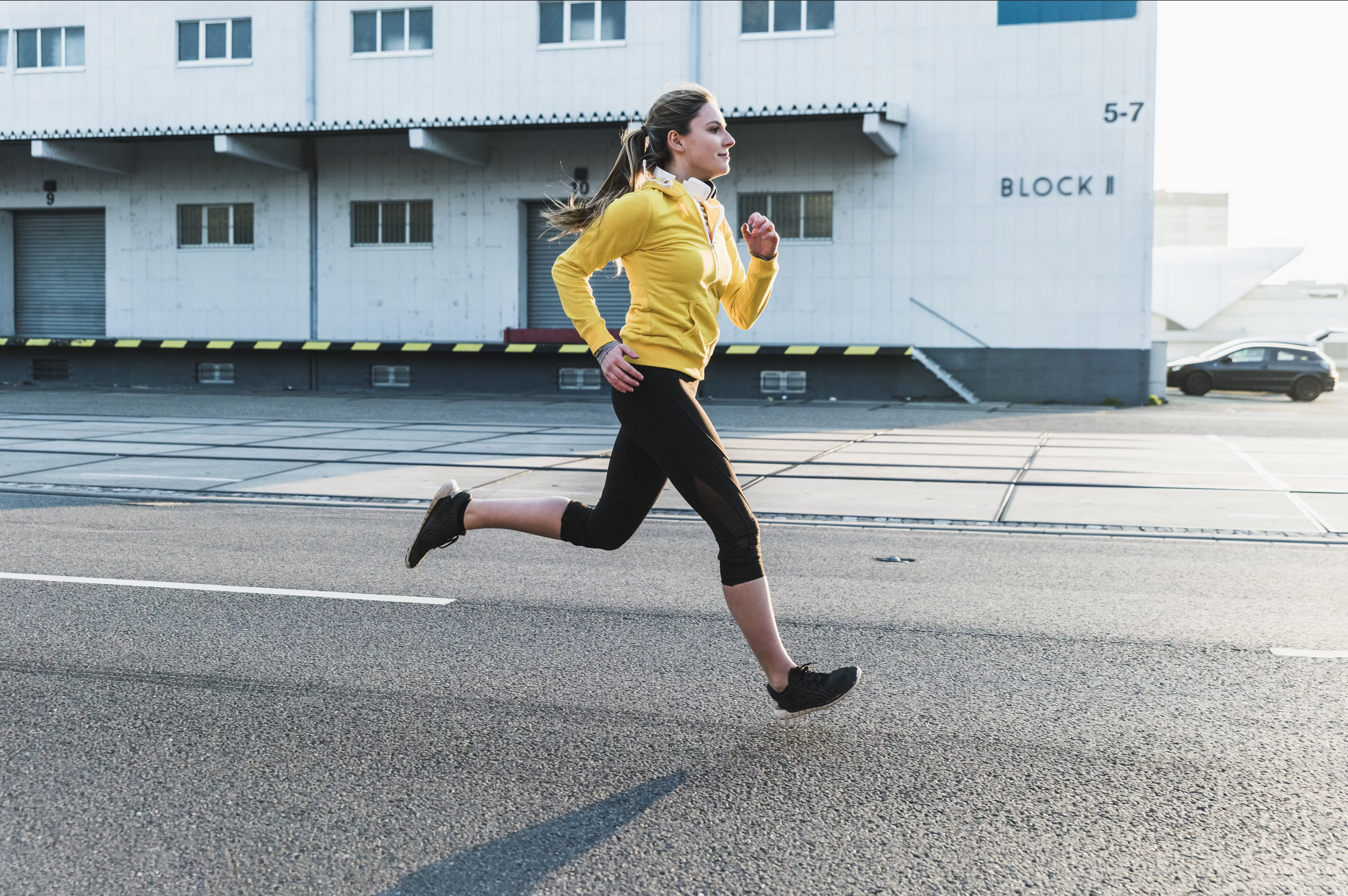
Image 2
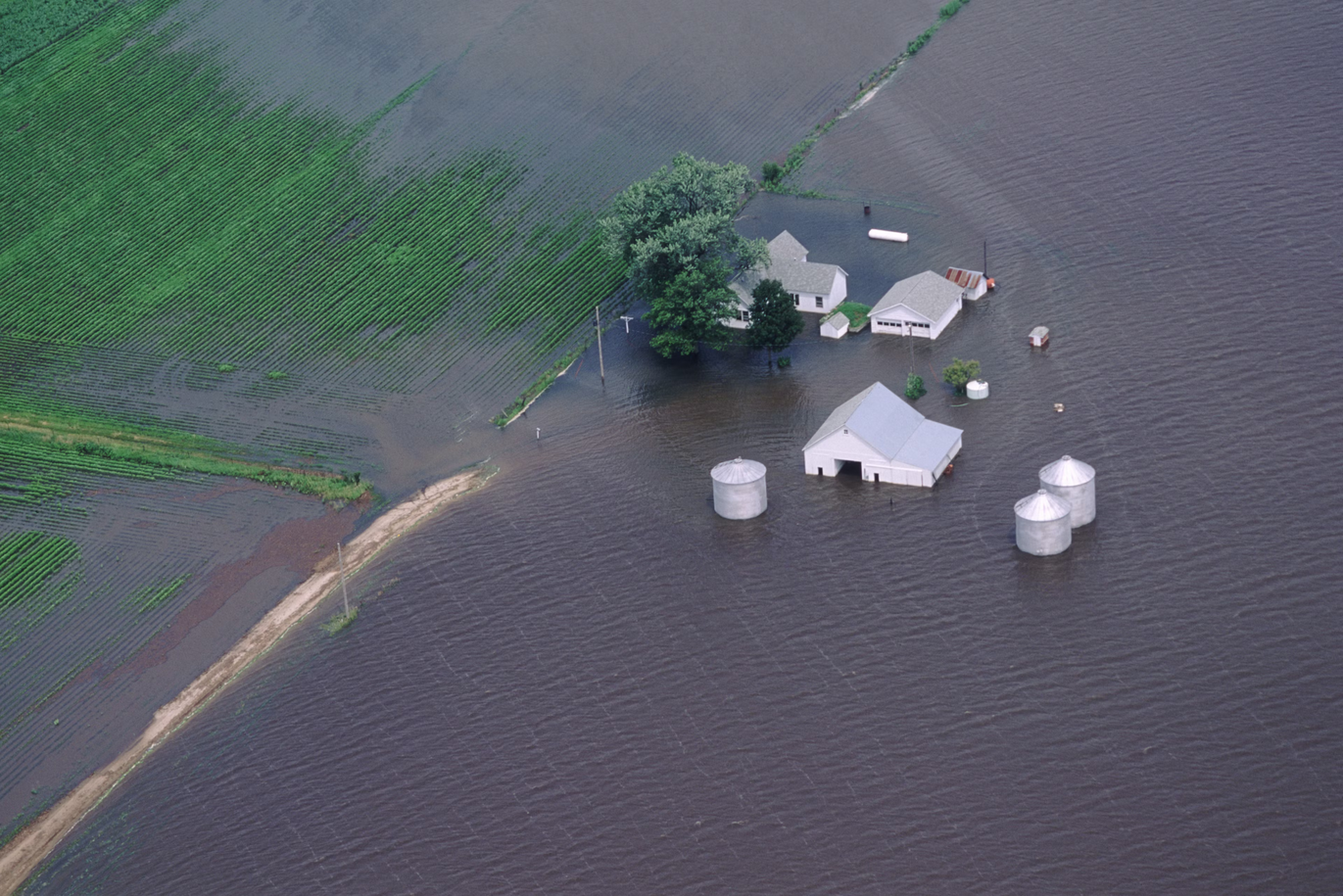
Image 3
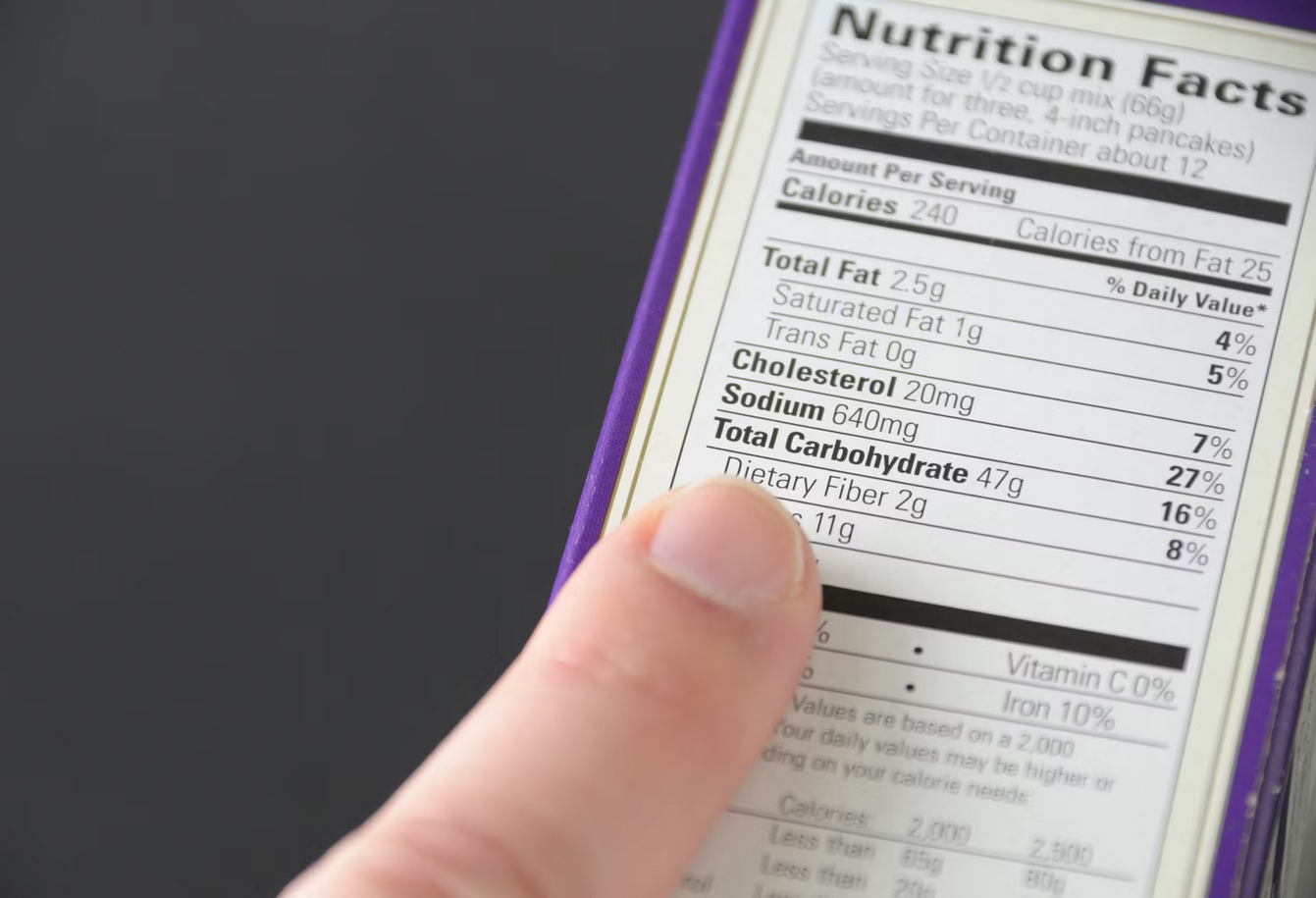
Image 4
model_id = "ibm/granite-3-2-vision"from ibm_watsonx_ai.foundation_models.schema import TextChatParameters
TextChatParameters.show()
params = TextChatParameters(
temperature=0.2, # the lower the temperature, the more focused and deterministic the output
top_p=0.5, # controls diversity via nucleus sampling
)
params+-------------------+-----------------------------------------------------------------------------------+-------------------------+
| PARAMETER | TYPE | EXAMPLE VALUE |
+===================+===================================================================================+=========================+
| frequency_penalty | float | None | 0.5 |
+-------------------+-----------------------------------------------------------------------------------+-------------------------+
| logprobs | bool | None | True |
+-------------------+-----------------------------------------------------------------------------------+-------------------------+
| top_logprobs | int | None | 3 |
+-------------------+-----------------------------------------------------------------------------------+-------------------------+
| presence_penalty | float | None | 0.3 |
+-------------------+-----------------------------------------------------------------------------------+-------------------------+
| response_format | dict | ibm_watsonx_ai.foundation_models.schema._api.TextChatResponseFormat | None | {'type': 'json_object'} |
+-------------------+-----------------------------------------------------------------------------------+-------------------------+
| temperature | float | None | 0.7 |
+-------------------+-----------------------------------------------------------------------------------+-------------------------+
| max_tokens | int | None | 100 |
+-------------------+-----------------------------------------------------------------------------------+-------------------------+
| time_limit | int | None | 600000 |
+-------------------+-----------------------------------------------------------------------------------+-------------------------+
| top_p | float | None | 0.9 |
+-------------------+-----------------------------------------------------------------------------------+-------------------------+
| n | int | None | 1 |
+-------------------+-----------------------------------------------------------------------------------+-------------------------+
TextChatParameters(frequency_penalty=None, logprobs=None, top_logprobs=None, presence_penalty=None, response_format=None, temperature=0.2, max_tokens=None, time_limit=None, top_p=0.5, n=None)Initialize model
- Initialize the ModelInference class with the previously specified parameters.
import os
from ibm_watsonx_ai.foundation_models import ModelInference
import dotenv
from ibm_watsonx_ai import APIClient, Credentials
dotenv.load_dotenv()

# Define the project ID
project_id = "ea6eef34-2eb1-4e4d-9e47-3ee42ec5aafd"

api_key = os.getenv("WATSONX_APIKEY")

credentials = Credentials(
                   url="https://eu-de.ml.cloud.ibm.com",
                   api_key=api_key
                  )
client = APIClient(credentials)
model = ModelInference(
    model_id="meta-llama/llama-3-2-11b-vision-instruct",
    credentials=credentials,
    project_id=project_id,
    params=params)
Encode theimage
- we need to encode the image to base64.n64encode. Why? JSOn is a text-baed format that does not support binary data. BBy encoding the image to base64 string, you can embed the image data directly within the JSON payload.
import base64
import requests

def encode_image_to_base64(urls):
    """
    Downloads and encode a list of images urls to base 64 strings.

    Args:
        urls (list): List of image URLs to be downloaded and encoded.
    returns:
        - list: List of base64 encoded image strings.
    """
    encoded_images = []
    for url in urls:
        response = requests.get(url)
        if response.status_code == 200:
            encoded_image = base64.b64encode(response.content).decode('utf-8')
            encoded_images.append(encoded_image)
            print(type(encoded_image))
        else:
            print(f"Failed to download image from {url}")
            encoded_images.append(None)
    return encoded_images
encoded_images = encode_image_to_base64(image_urls)<class 'str'>
<class 'str'>
<class 'str'>
<class 'str'>Multimodal inference function
- Next, define a function to generate response from the model.
- This function will is designed to interact with a multimodal AI modal that accepts both text and image inputs. This func take an image, along with user query and generates a respose from the model.
Function purpose:
- The function
generate_model_responsesends an image and a query to and AI model and retrieves a description or answer. It combines a text-based prompt and an image to guide the model in generating a relevant response.
Parameters
encoded_image(str): A base64-encoded image string, which allows the model to process the image data.user_query(str): The user's question about the image, providing context for the model to interpret the image and answer appropriately.assistant_prompt(str): An optional text prompt to guide the model in responding in a specific way. By default, the prompt is set to:"You are a helpful assistant. Answer the following user query in 1 or 2 sentences:".
def generate_model_response(encoded_image, user_query, assistant_prompt="""You are a helpful assistant. Answer the following user query in 1 or 2 sentences:"""):
    """
        Send and image and a user query to the model and return the response.
    Args:
        encoded_image (str): Base64 encoded image string.
        user_query (str): The user query to be answered by the model.
        assistant_prompt (str): The assistant prompt to guide the model's response.
    returns:
        - str: The model's response to the user query.
    """
    messages = [
        {"role": "system", "content": assistant_prompt},
        {
            "role": "user",
            "content": [
                {"type": "text", "text":  user_query},
                {
                    "type": "image_url",
                    "image_url": {
                        "url": f"data:image/png;base64,{encoded_image}"
                    }
                }
            ]
        }
    ]
    response = model.chat(messages=messages)
    return response['choices'][0]['message']['content']
Steps explained
- Create the Messages object:
The function constructs a list of messages in JSON-like format. This object includes:- A "user" role with a "content" array. The content array contains:
- A text field, combining the
assistant_promptand theuser_query. - An image URL field, which includes a base64-encoded image string. This is essential for sending image data to the model.
- A text field, combining the
- A "user" role with a "content" array. The content array contains:
- Send the request to the model:
response = model.chat(messages=messages)
The function sends the constructed messages to the model using a chat-based API. The model.chat function is invoked with the messages parameter to generate the model's response. - Return the model’s response:
return response['choices'][0]['message']['content']
The model’s response is returned as a string, extracted from the response object. Specifically, the function retrieves the content of the first choice in the model's response.
Image captioning
Generate an answer to your question using the ibm/granite-vision-3-2-2b model.
More information about the chat can be found here: docs, source.
Now, you can loop through our images to see the text descriptions produced by the model in response to the query, "Describe the photo".
user_query = "Describe the photo."

for i in range(len(encoded_images)):
    print(f"Image {i+1} response:")
    response = generate_model_response(encoded_images[i], user_query)
    print(f"Description for image {i+1}: {response}")
    print("\n")
Image 1 response:
Description for image 1: The photo depicts a bustling city street in New York City, lined with tall buildings and trees, featuring a busy road with cars and pedestrians, and a vibrant atmosphere.
Image 2 response:
Description for image 2: The image depicts a woman running on a road in front of a large white building. The woman is wearing a yellow jacket, black pants, and black shoes, and has her hair pulled back into a ponytail. She appears to be in motion, with her right leg extended behind her and her left leg bent in front of her. The background of the image shows a large white building with several windows and doors, as well as a black car parked in front of it.
Image 3 response:
Description for image 3: The photo shows a flooded farm with a house, barn, and silos surrounded by water. The water is dark brown and appears to be several feet deep, covering most of the fields and roads around the farm.
Image 4 response:
Description for image 4: The image shows a hand holding a nutrition label, with the index finger pointing to the "Total Carbohydrate" section. The label is white with black text and has a purple border around it. The background is dark gray.
image = encoded_images[1]

user_query = "How many cars are in this image?"

print("User query:", user_query)
print("Model response:", generate_model_response(image, user_query))
User query: How many cars are in this image?
Model response: There is one car in this image.- Disclaimer: there is actually more than one car but the other cars are occluded. The model is able to identify only the visible car in the image.
image = encoded_images[2]

user_query = "How severe is the damage in this image?"

print("User Query: ", user_query)
print("Model Response: ", generate_model_response(image, user_query))
User Query: How severe is the damage in this image?
Model Response: The damage in this image is severe, as the floodwaters have inundated the entire area, including buildings and crops. The extent of the flooding suggests that it may have been caused by a significant storm or other natural disaster.image = encoded_images[3]
user_query = "How much sodium is in this product?"
print("User Query: ", user_query)
print("Model Response: ", generate_model_response(image, user_query))User Query: How much sodium is in this product?
Model Response: There are 640mg of sodium in this product.image = encoded_images[3]
user_query = "How much cholesterol is in this product?"
print("User Query: ", user_query)
print("Model Response: ", generate_model_response(image, user_query))User Query: How much cholesterol is in this product?
Model Response: This product contains 20mg of cholesterol.image = encoded_images[1]
user_query = "what is the color of the woman jacket?"
print("User Query: ", user_query)
print("Model Response: ", generate_model_response(image, user_query))User Query: what is the color of the woman jacket?
Model Response: The woman's jacket is yellow.