
Launching VPC Resources
Project Link: View Project
Author: Duc Thai
Email: ducthai060501@gmail.com
Launching VPC Resources
Introducing Today's Project!
What is Amazon VPC?
Amazon VPC (Virtual Private Cloud) is a virtual network in AWS that you can control, similar to having your own private data center in the cloud. It lets you define IP ranges, subnets, route tables, and security settings.
It’s useful because it gives you full control over your network, allows you to isolate resources for security, and lets your servers communicate safely, either with each other, with the internet, or with your on-premises network. Essentially, it makes cloud infrastructure flexible, secure, and manageable.
How I used Amazon VPC in this project
I used Amazon VPC to lauch a public EC2 instance which allow all traffic and one private EC2 instance which only allow traffic fron the public instance. I also learn one more way to create new VPC with resource map which save a lot of time.
One thing I didn't expect in this project was...
One thing I didn’t expect was how much careful planning the networking setup required—like correctly configuring the VPC, subnets, routing, and security groups to make sure the public and private EC2 instances could communicate securely. Even small misconfigurations could block access or break communication between instances.
This project took me...
This project took me 69 minutes.
Setting Up Direct VM Access
Directly accessing your EC2 instance means connecting straight to the virtual server you created in AWS, usually through SSH (for Linux) or RDP (for Windows). It’s like logging into the computer itself so you can control it, run commands, install software, or check logs. This differs from going through other services or load balancers—here, you’re entering the server directly.
SSH is a key method for directly accessing a VM
SSH traffic means SSH, or Secure Shell, is the protocol we use for this secure access to a remote machine. When you connect to the instance, SSH verifies you possess the correct private key corresponding to the public key on the server, ensuring only authorized users can access the instance.
In terms of network communication, SSH is also as a type of network traffic. Once SSH has established a secure connection between you and the EC2 instance, all data transmitted (including your commands and the responses from the instance) is encrypted. This encryption makes SSH an ideal method for securely exchanging confidential data e.g. login credentials!
To enable direct access, I set up key pairs
A key pair for EC2 is a public/private SSH key used to securely access your instance.
The public key is stored on the EC2 instance by AWS.
You keep the private key (a .pem file) on your computer.
For Linux instances you use the private key to SSH in (ssh -i mykey.pem ec2-user@IP).
For Windows, the private key decrypts the Admin password so you can RDP.
Keep the private key safe—if you lose it you can’t SSH in.
Alternatives: use EC2 Instance Connect, Systems Manager Session Manager, or create a new key via a replacement process if needed.
A private key's file format means it key is usually stored in text-based file formats that follow standards for encryption, such as PEM (Privacy-Enhanced Mail), PPK (PuTTY Private Key), or DER. My private key's file format was .pem .This format contains the key in Base64 encoding and is used with SSH to securely connect to your instance.
Launching a public server
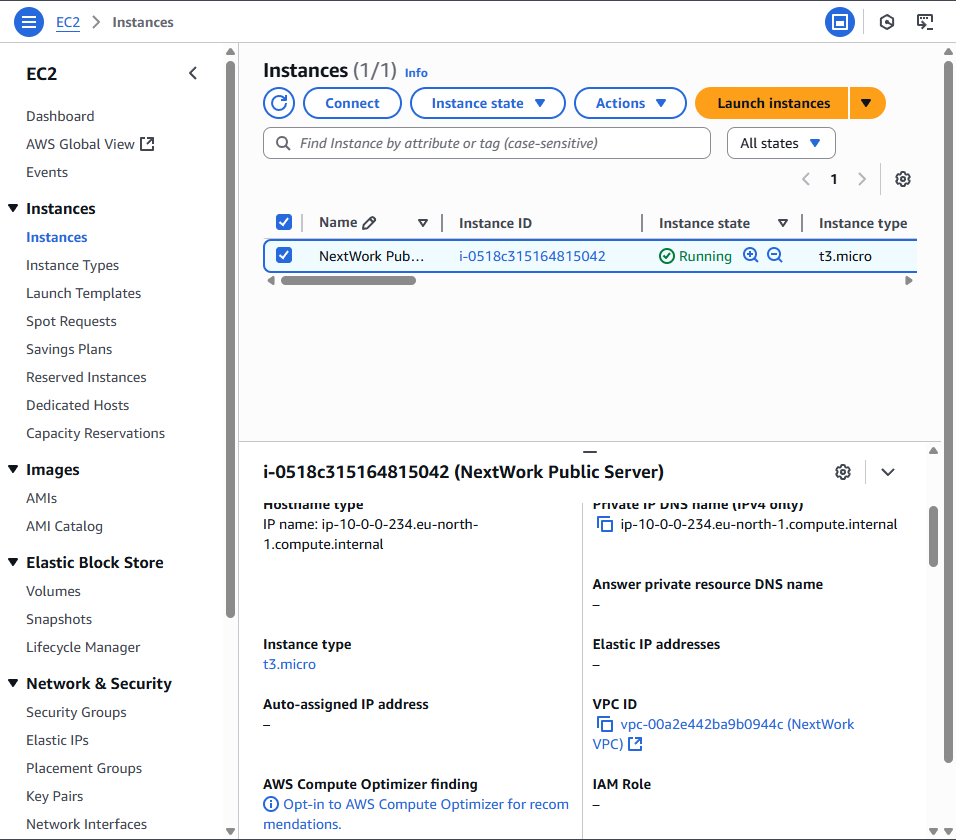
I edited my EC2 instance’s networking settings by changing its VPC to NextWork VPC, moving it into the NextWork public subnet, and attaching it to the NextWork Security Group. This ensured the instance was in the right network, had public accessibility, and the correct security rules applied.
Launching a private server
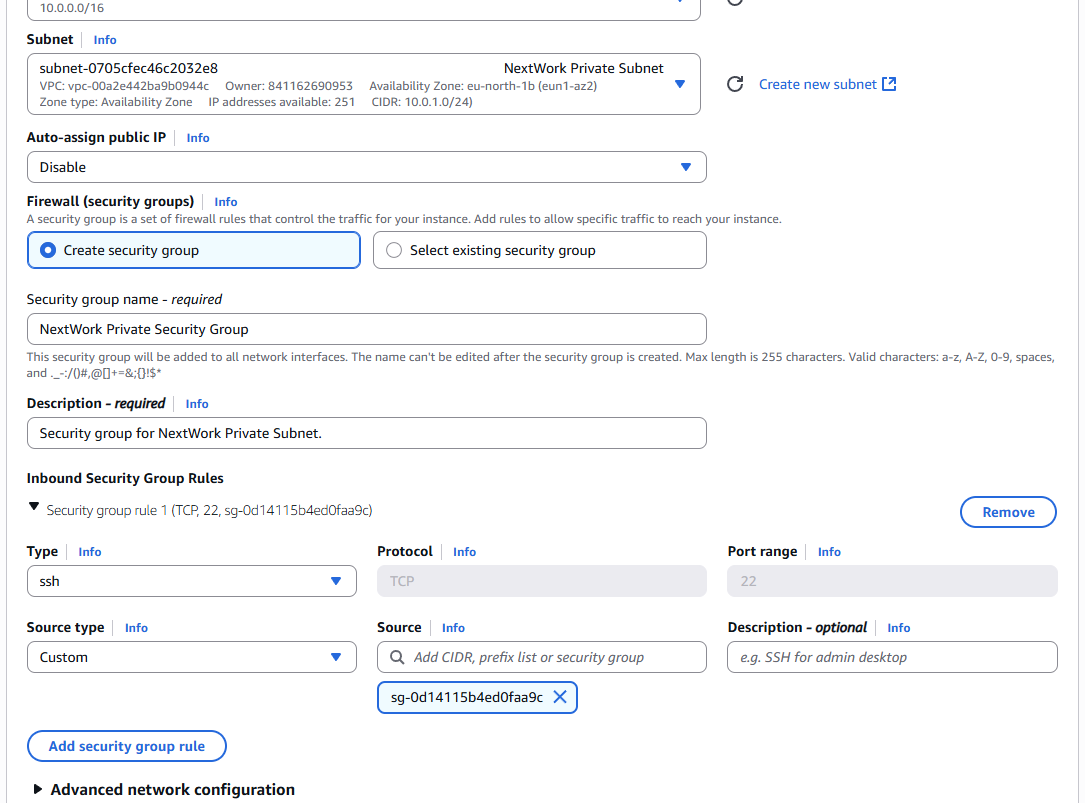
My private server has its own dedicated security group because the public server needs to accept traffic from the internet (like HTTP/HTTPS or SSH), while the private server should only accept traffic from trusted sources, such as the public server or within the VPC. Using different security groups lets you apply stricter rules to the private server, protecting it from direct internet access and reducing security risks.
My private server's security group's source is NextWork Public Security Group which means eans only resources that are part of the NextWork Public Security Group can communicate with your instance. This restricts access to a much smaller group of trusted resources, rather than allowing potentially any IP address on the internet (0.0.0.0/0) to access your instance. A great move for securing a private subnet!
Speeding up VPC creation
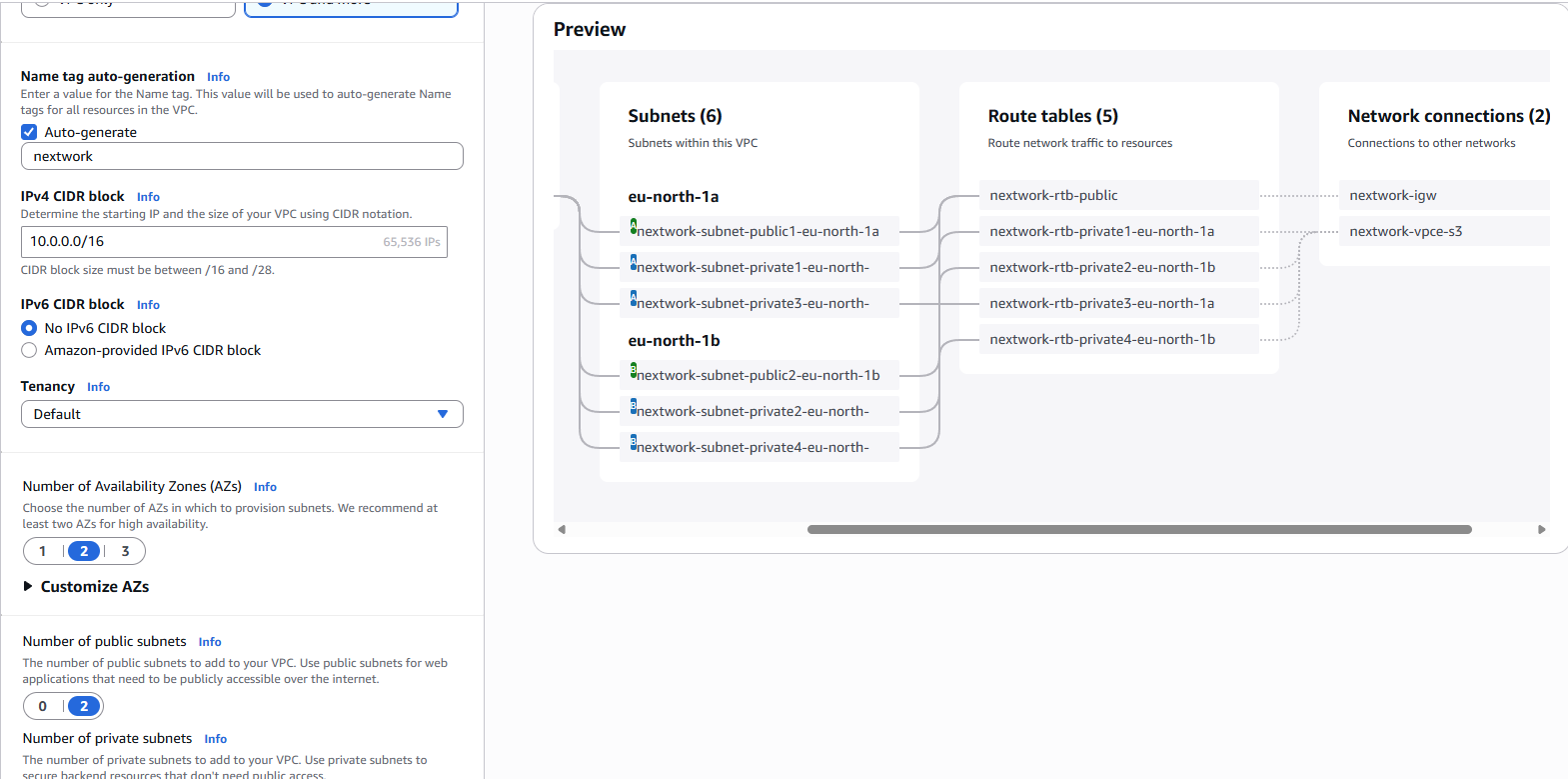
I used an alternative way to set up an Amazon VPC! This time, I pick VPC and more instead if VPC only in the VPC creation settings.
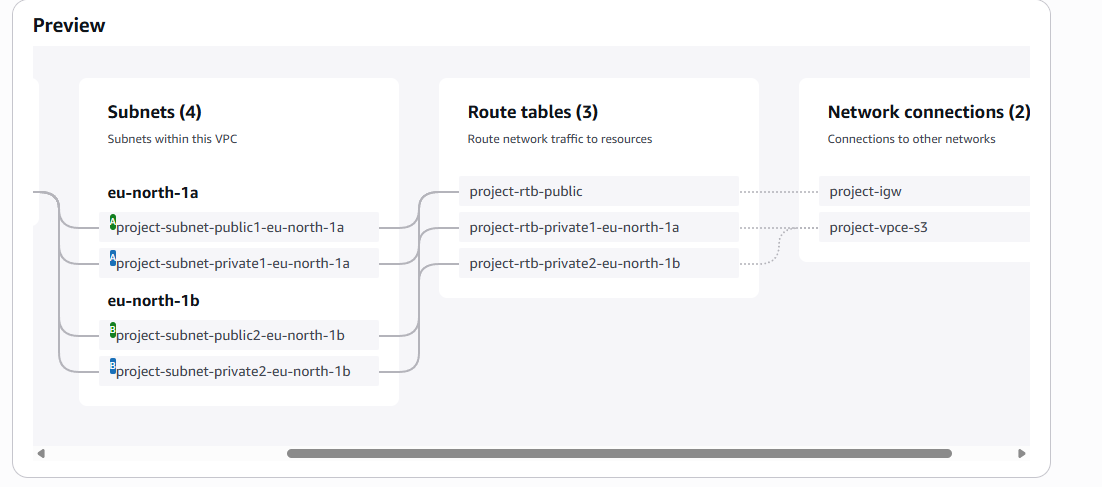
A VPC resource map is a visual diagram in AWS that shows all the networking resources inside your Virtual Private Cloud (VPC). It helps you see how components like subnets, route tables, internet gateways, NAT gateways, security groups, and EC2 instances are connected. In short, it’s like a network map of your VPC, making it easier to understand and manage the relationships between your resources.
My new VPC has a CIDR block of 10.0.0.0/24 It is possible for my new VPC to have the same IPv4 CIDR block as my existing VPC because VPCs are isolated from each other by default. Each VPC is its own private network, so their IP ranges don’t conflict unless you try to directly connect them (for example, with VPC peering or a transit gateway). If you do need to connect them, then the CIDR blocks must be different to avoid IP address conflicts.
Speeding up VPC creation
Tips for using the VPC resource map
When determining the number of public subnets in my VPC, I only had two options: 0 and 2. This was because PC spans across multiple Availability Zones (AZs) in a region, and AWS best practice is to create one public subnet per AZ for high availability. Since your region had 2 AZs available, the options were either 0 (no public subnets) or 2 (one in each AZ)—you can’t pick just one, because that wouldn’t provide redundancy.
The set up page also offered to create NAT gateways, which are allows instances in a private subnet to access the internet for updates, downloads, or API calls without exposing them to inbound internet traffic. It translates private IP addresses to a public IP, so the private instances can initiate outbound connections while staying protected from direct access from the internet.