APIs with Lambda + API Gateway
Project Link: View Project
Author: Duc Thai
Email: ducthai060501@gmail.com
Introducing Today's Project!
In this project, I will demonstrate how to build an API without managing traditional servers, using AWS Lambda and Amazon API Gateway. I’m doing this to learn about the logic layer in a three-tier architecture, which splits applications into three essential layers: presentation, logic, and data.
Today, I’m focusing on the logic tier—the backend of my app. This is where I’ll write and run code that handles user actions, such as button clicks, and translates them into application functionality, like website searches or data processing. By using serverless technologies like Lambda and API Gateway, I can build and deploy backend logic efficiently without worrying about server management.
Tools and concepts
Services I used were AWS Lambda, Amazon API Gateway.
Key concepts I learnt include how to build serverless APIs using Lambda functions (which run backend code without managing servers), how API Gateway acts as a “front door” to route and secure requests to Lambda, and how to store and retrieve data with DynamoDB. I also learned about REST API design, HTTP methods (GET, POST, PUT, DELETE), and the importance of API documentation using OpenAPI/Swagger. This project gave me practical experience in building and deploying scalable, secure, and well-documented APIs in the cloud.
Project reflection
This project took me approximately 60 minutes.
I chose to do this project today because I want to learn about cloud.
Lambda functions
AWS Lambda is a serverless compute service provided by Amazon Web Services (AWS) that lets you run code without provisioning or managing servers. You simply upload your code, set up a trigger (like an HTTP request or database change), and Lambda automatically executes your code in response to those events, scaling as needed.
I'm using Lambda in this project to handle the logic layer of my application. It lets me write backend code that responds to user actions, processes data, and interacts with other services—all without having to manage the underlying infrastructure. This makes my app more efficient, scalable, and easier to maintain.
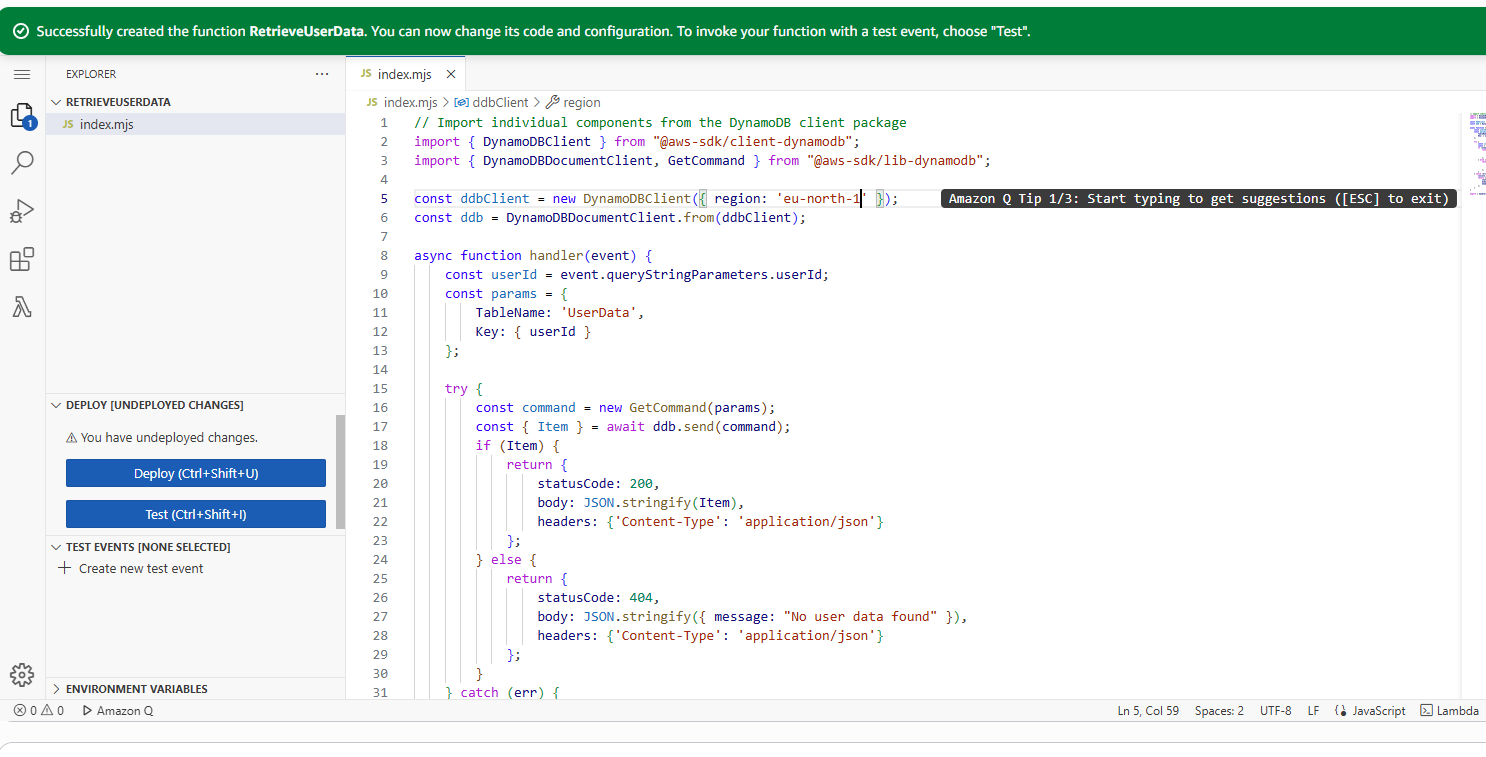
The code I added to my function will connect to a DynamoDB table called 'UserData', look up a record using a user ID provided in the HTTP request’s query string, and return the user’s data as a JSON response. If the user’s data is found, it responds with a 200 status code and the data; if not, it returns a 404 error with a message. If something goes wrong during the process (like a database error), it returns a 500 error indicating failure. This function acts as an API endpoint that retrieves user information from DynamoDB in response to client requests.
API Gateway
APIs are interfaces that allow different software systems to communicate and interact with each other, letting applications send and receive data or trigger actions. There are different types of APIs, such as HTTP APIs, WebSocket APIs, REST APIs, and private REST APIs, each designed for specific use cases.
My API is a REST API (Representational State Transfer), which uses standard HTTP methods (like GET, POST, PUT, DELETE) to interact with resources. REST is popular because it’s simple, stateless, and can be used with almost any programming language. We’re using a REST API today to connect users with my Lambda function, letting them make requests and get responses efficiently and securely.
Amazon API Gateway is an AWS service that makes it easy for developers to create, publish, maintain, monitor, and secure APIs at any scale. It manages incoming API traffic, directs requests to the correct backend services, and ensures only authorized requests get through.
In this project, I’m using API Gateway as the “front door” to my Lambda function. It receives user requests, forwards them to Lambda for processing, and then delivers Lambda’s response back to the user. Directly exposing Lambda functions to the internet isn’t best practice since Lambda lacks built-in security and API management features. API Gateway adds authentication, authorization, and advanced API management capabilities (like request routing), making my app more secure, scalable, and efficient.
When a user makes a request, API Gateway acts as the entry point—it receives the request and determines how to route it. If the request matches an API endpoint connected to a Lambda function, API Gateway forwards the request, including any data, to Lambda.
Lambda then runs the backend code you wrote, processes the request (such as fetching data or performing calculations), and returns a response. API Gateway receives Lambda’s response and sends it back to the user. This setup lets you build scalable, serverless APIs without managing infrastructure, with API Gateway handling security, traffic management, and request/response formatting, while Lambda executes your application logic.
API Resources and Methods
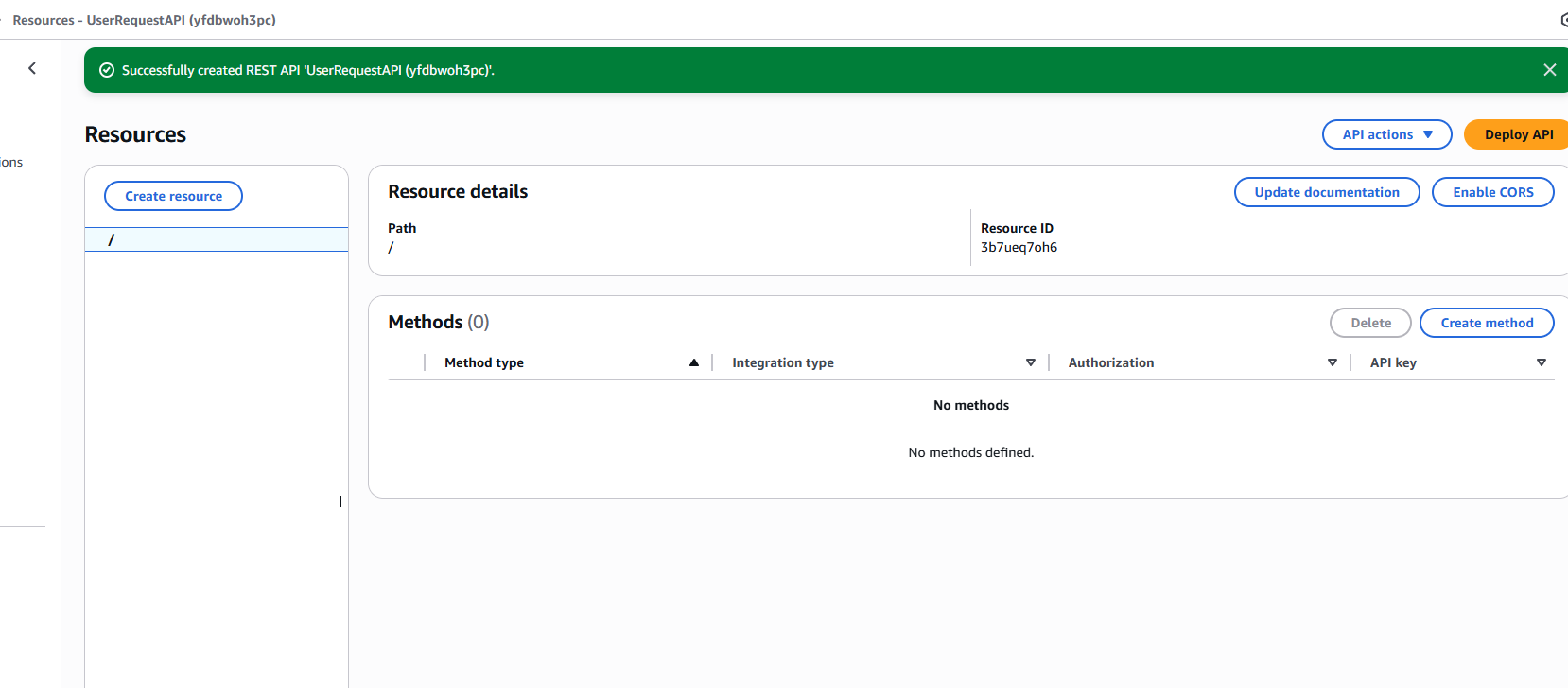
An API is made up of resources, which are individual endpoints within your API that handle different parts of its functionality.
For example, an API for a messaging app might have separate resources for retrieving messages and for retrieving user profiles.
Each resource in an API consists of methods, which are the actions you can perform on that resource. These methods are based on standard HTTP methods—commands used to interact with data over the internet. For example:
- GET to retrieve data,
- POST to add new data,
- PUT to update existing data,
- DELETE to remove data,
- HEAD to get metadata about a resource,
- OPTIONS to find out what methods are supported by the resource.
These HTTP methods make it easy to organize and control how users interact with your API and its resources.
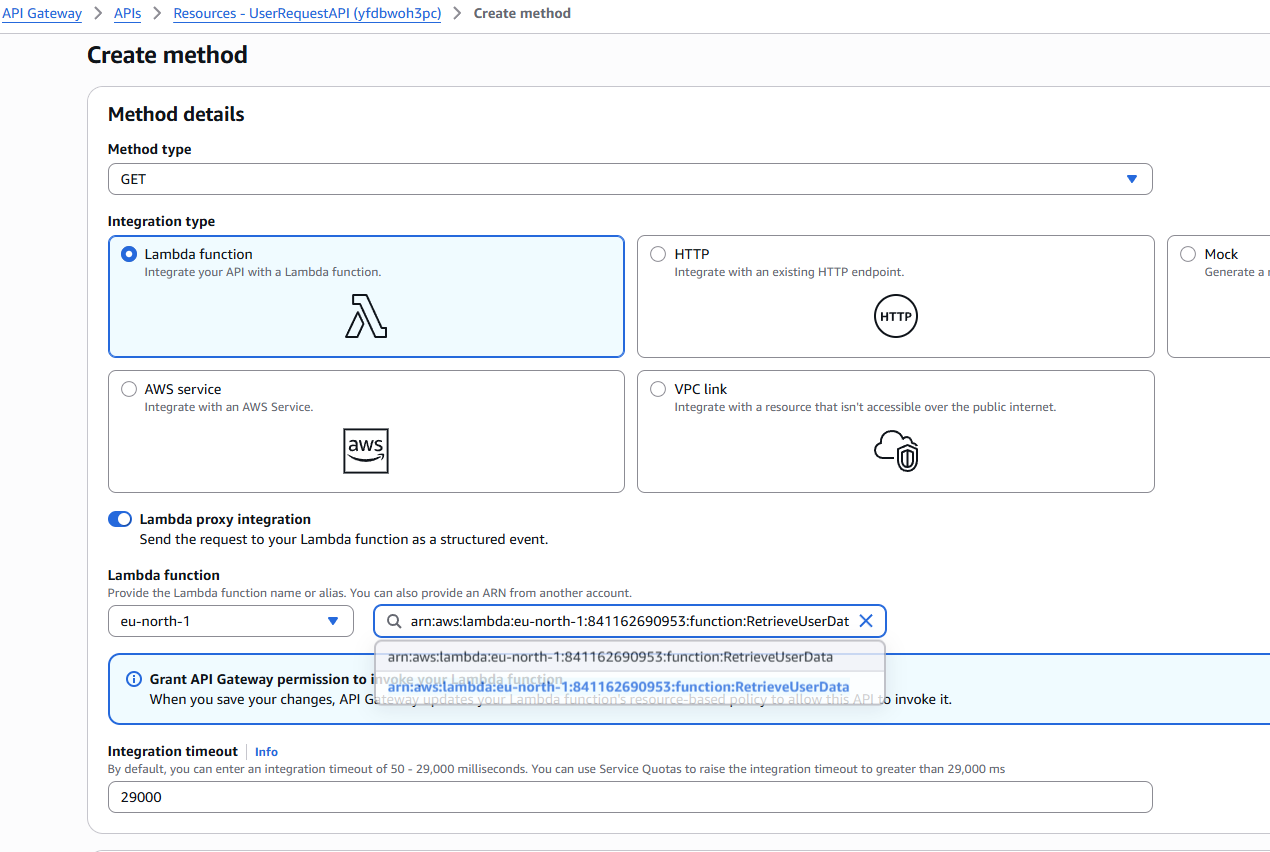
The method I set up is a GET method for the "users" resource. I chose Lambda Function as the integration type, which means that whenever a GET request is made to the "users" endpoint, API Gateway will forward the request to my Lambda function.
I also enabled Lambda proxy integration, which allows API Gateway to pass the entire request (including query parameters, headers, and body) directly to the Lambda function. This gives the Lambda function full control over processing the request and formatting the response.
API Deployment
A stage is a named environment in API Gateway where your API is deployed and accessed. Stages allow you to manage different versions or environments of your API, such as development, testing, and production. When you deploy an API, you choose a stage to publish it to—for example, I deployed my API to a new stage called ‘prod’. This makes the API publicly accessible at a unique URL associated with the ‘prod’ environment, so users can start interacting with it. Stages help organize and control API updates, testing, and releases.
To visit my API, I go to my prod stage's Invoke URL provided by API Gateway. When I accessed the URL, the API displayed an error (“Missing authentication token”) because I haven't fully set up my DynamoDB table and configured the correct resource path and method yet. This error usually means I either visited the base URL instead of a specific endpoint (like /users), or the endpoint isn't properly configured or deployed. Once I finish setting up my DynamoDB table and API resources, the API should work as expected.

API Documentation
For my project's extension, I am writing API documentation because it helps other developers (and future me) understand how to use the API, what endpoints are available, what requests and responses look like, and any authentication or usage requirements. Good documentation makes it easier to integrate with my API, troubleshoot issues, and maintain or update the project over time. You can create and manage this documentation in the "Documentation" tab in the API Gateway console, making it easy to publish, update, and share with others.
Once I prepared my documentation, I published it as a special file type—either Swagger or OpenAPI (which are standardized formats for describing APIs). I exported my API documentation from the API Gateway console, linking it to a specific API stage (like "prod") so it matches the current version of my API.
By publishing my documentation to a specific stage, I ensure that it accurately describes the endpoints and functionality available at that stage. External tools like Swagger UI or ReDoc can then use my OpenAPI documentation to generate interactive web pages, allowing other developers to explore and test my API directly from their browsers. This makes my API much easier to share, understand, and integrate with.
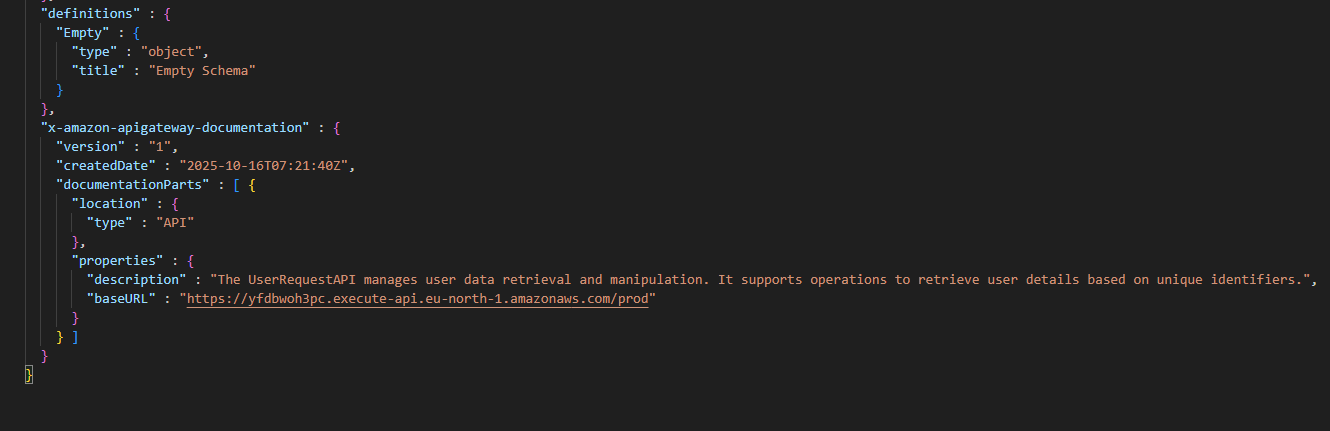
My published and downloaded documentation showed me a detailed overview of my API in JSON format, following the Swagger (OpenAPI) standard. It included important metadata such as the API title ("UserRequestAPI"), version, and base URL (https://yfdbwoh3pc.execute-api.eu-north-1.amazonaws.com/prod).
The documentation listed the /users resource and described the GET method, showing that requests to this endpoint return JSON responses. It specified the integration type (aws_proxy), meaning requests to /users are forwarded to my Lambda function (RetrieveUserData).
There was also a description section explaining what the API does:
"The UserRequestAPI manages user data retrieval and manipulation. It supports operations to retrieve user details based on unique identifiers."
Overall, the documentation clearly outlined the structure, endpoints, and purpose of my API, making it easier for other developers to understand how to use it.